> For the complete documentation index, see [llms.txt](https://usin.gitbook.io/usin/llms.txt). Markdown versions of documentation pages are available by appending `.md` to page URLs; this page is available as [Markdown](https://usin.gitbook.io/usin/paid/paperboy.md).
# USIN | Paperboy Job 📰
A lightweight FiveM delivery side job with legal newspaper routes and reputation-gated Street dead drops.
USIN Paperboy is a lightweight FiveM side job built around GTA V's throwable package mechanic. Build a legitimate delivery career with company rentals, then unlock a separate Street progression for contraband dead drops.
## Features
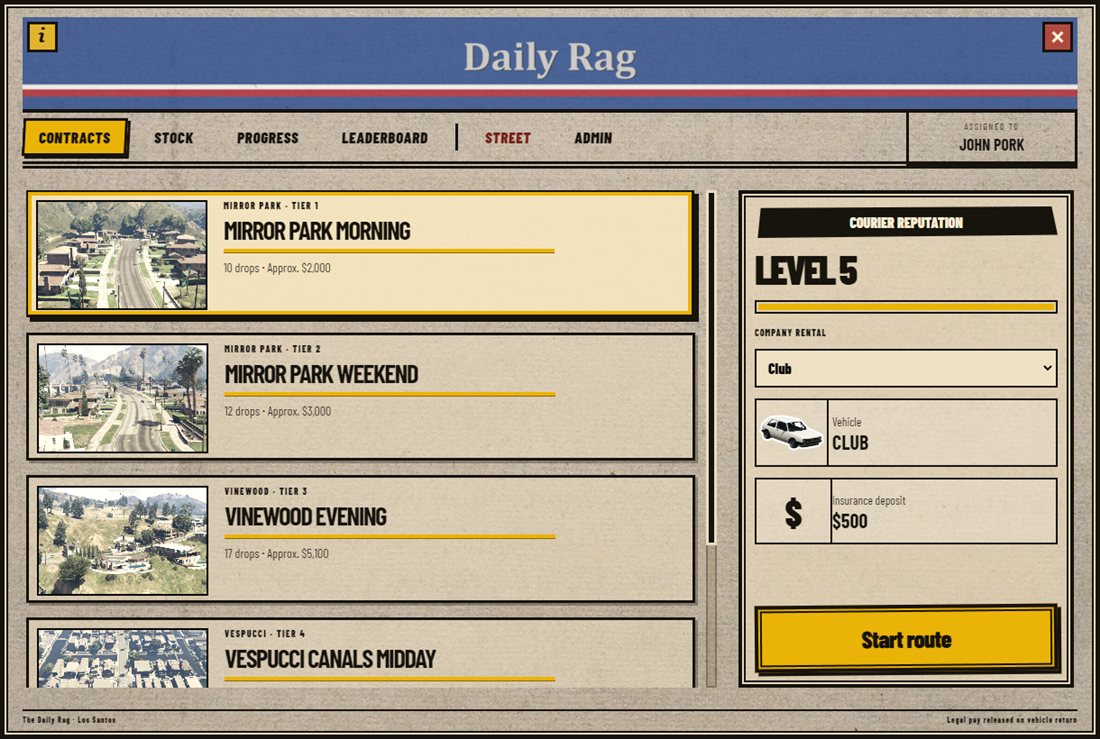
* Legal neighborhood batches with any-order doorstep deliveries, company rentals, deposits, and vehicle-condition checks.
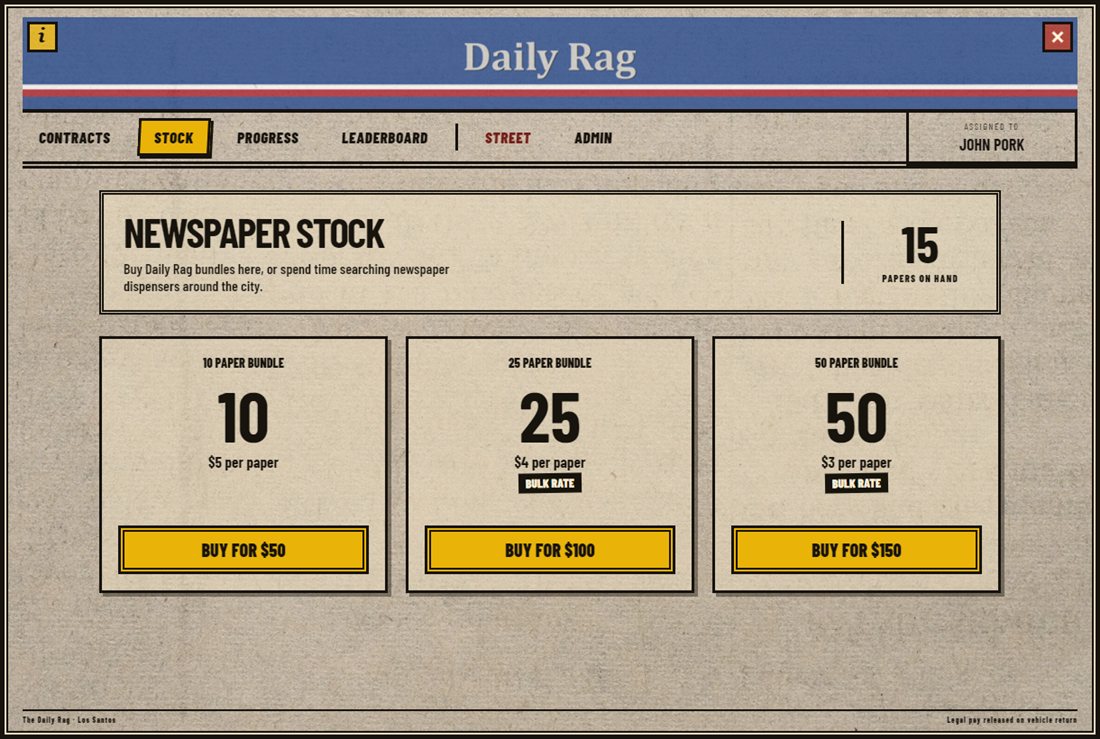
* Persistent newspaper stock: buy discounted bundles or search city newspaper dispensers for free stock.
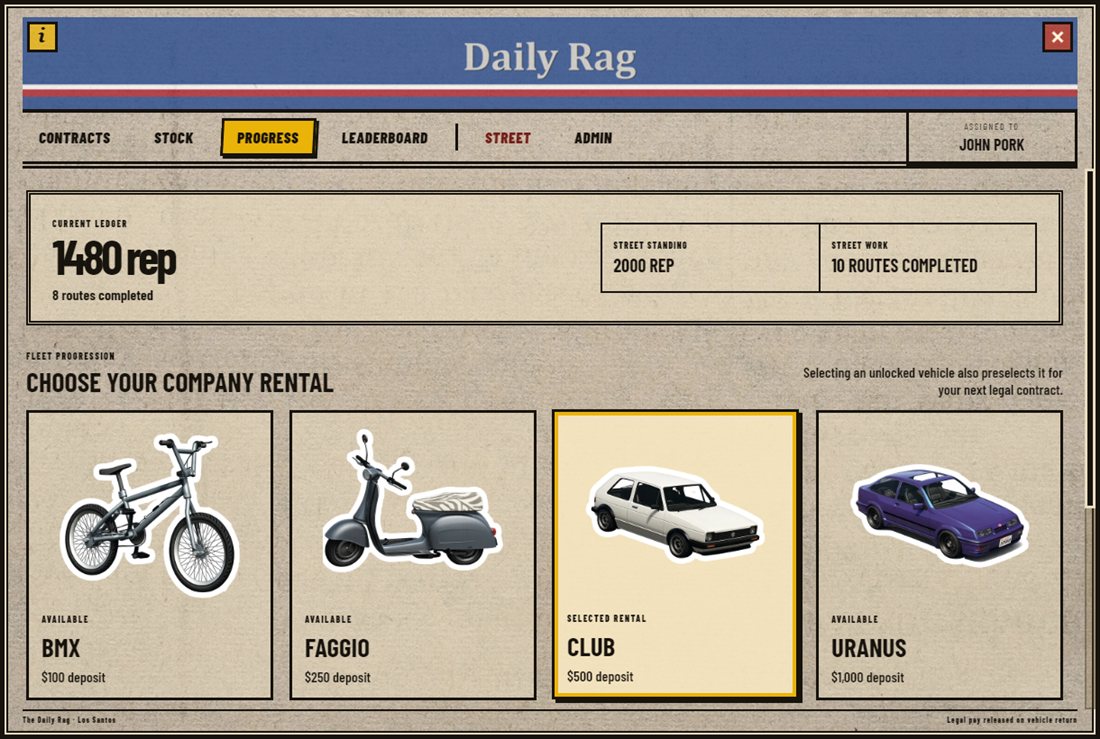
* Separate courier and Street reputations with unlockable rental vehicles.
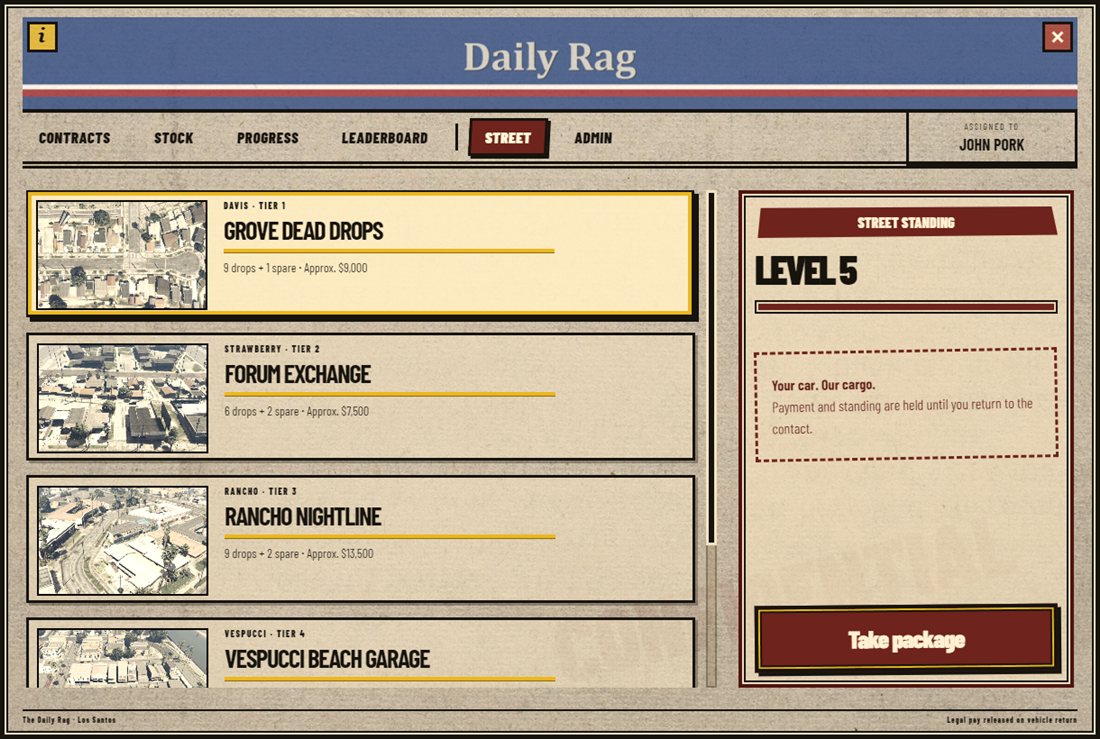
* Reputation-gated Street work using player-supplied vehicles, session-only cargo, escalation, and cash-out at the contact.
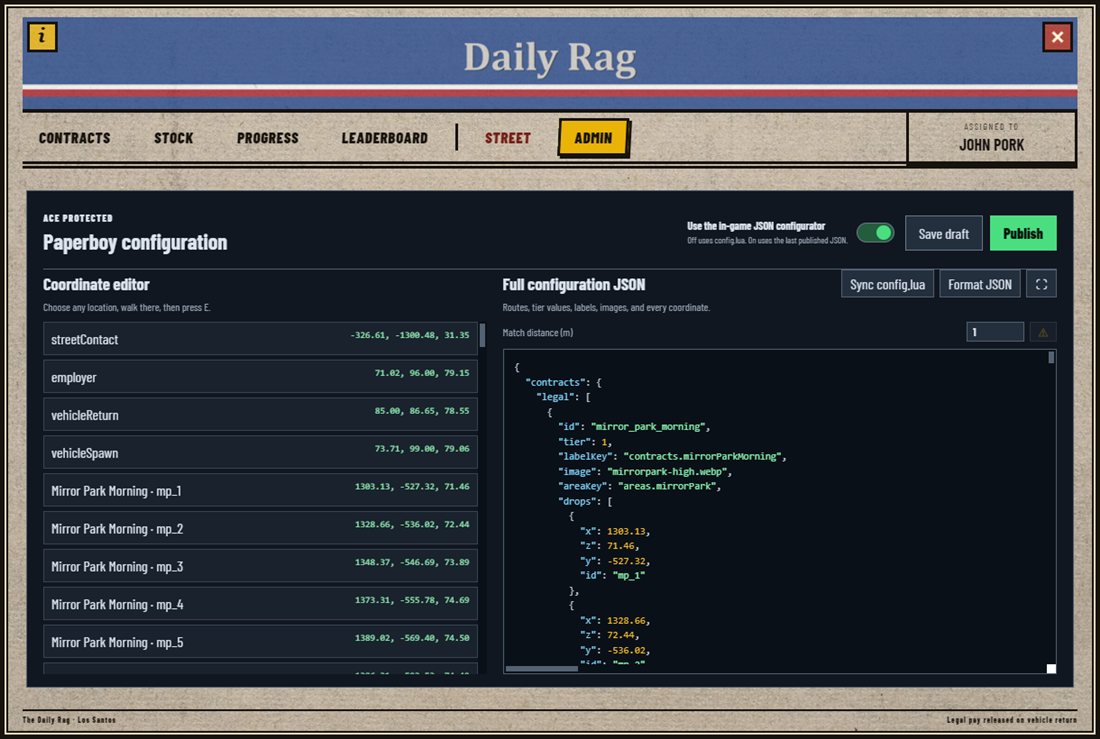
* In-game admin editor for coordinates and JSON route configuration.
* Configurable delivery markers, blips, contracts, payouts, stock bundles, police requirements, and blacklisted jobs.
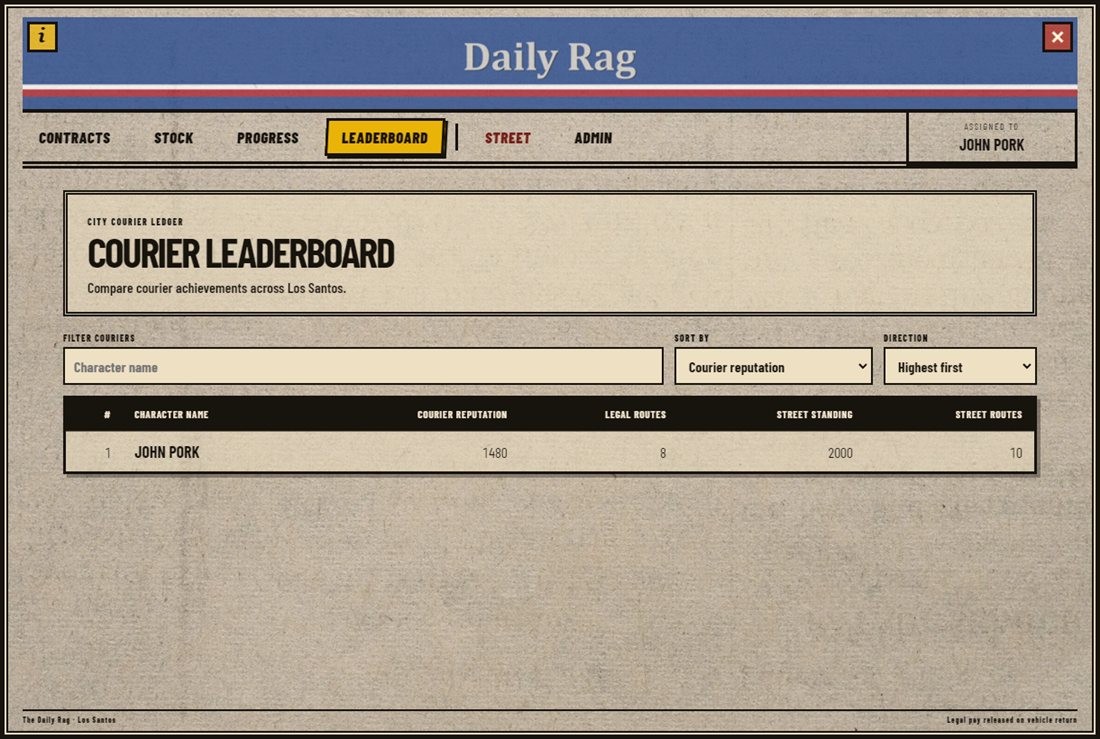
* Built-in player guide, leaderboard, and 18 locales.
* ESX Legacy, QBCore, Qbox, and ox\_core support; ox\_inventory and QBCore qb-inventory support.
## Requirements
* Current FiveM artifacts with OneSync enabled
* `oxmysql` and `ox_lib`
* One framework: ESX Legacy, QBCore, Qbox, or ox\_core
* `ox_inventory`, or `qb-inventory` when using QBCore. Quasar, CodeM mInventory Remake, Origen, TGIANN, and Core adapters are **experimental only**; see setup below.
* MySQL or MariaDB supported by oxmysql
`ox_target` and `qb-target` are optional. Paperboy prefers them in that order and falls back to native E-key interactions.
## Installation
1. Download Paperboy from [USIN Tebex](https://usin.tebex.io/) and claim it through [Cfx.re Keymaster](https://keymaster.fivem.net/asset-grants).
2. Place `usin_paperboy` in your resources directory without renaming it. Keep the compiled `html/` directory inside the resource.
3. Configure `Config.framework` and `Config.inventory`. Use explicit framework selection if more than one supported framework is running.
4. Start `oxmysql`, `ox_lib`, your selected framework, inventory, and optional target resource before Paperboy.
5. Add the newspaper item for your inventory, then restart the inventory and Paperboy.
{% hint style="warning" %}
Paperboy creates its own database tables on first start. No manual SQL import is required.
{% endhint %}
ox_inventory newspaper weapon
Add this entry to `ox_inventory/data/weapons.lua` inside the `Weapons` table:
```lua
['WEAPON_NEWSPAPER'] = {
label = 'Newspaper',
weight = 200,
throwable = true,
model = 'WEAPON_ACIDPACKAGE',
client = { image = 'WEAPON_ACIDPACKAGE.png' },
},
```
QBCore qb-inventory items
Add both items to `qb-core/shared/items.lua`. Separate item names keep legal stock and session-only Street cargo apart.
```lua
weapon_newspaper = {
name = 'weapon_newspaper', label = 'Newspaper', weight = 200, type = 'item',
image = 'WEAPON_ACIDPACKAGE.png', unique = false, useable = true, shouldClose = true,
description = 'Newspaper delivery stock',
},
weapon_street_newspaper = {
name = 'weapon_street_newspaper', label = 'Sealed Newspaper', weight = 200, type = 'item',
image = 'WEAPON_ACIDPACKAGE.png', unique = false, useable = true, shouldClose = true,
description = 'Session-only Street delivery stock',
},
```
Download [WEAPON\_ACIDPACKAGE.png](https://github.com/overextended/ox_inventory/blob/main/web/images/WEAPON_ACIDPACKAGE.png) into `qb-inventory/html/images/`.
## Additional inventories — experimental only
These five adapters are **experimental only**: implemented against public vendor documentation and checked with mocked APIs, but **not tested in-game with the actual inventory resources**. Compatibility is not guaranteed; validate on a staging server before production. Use the inventory vendor's supported ESX/QBCore/Qbox integration; Paperboy's ox\_core integration still requires ox\_inventory. Existing ox\_inventory and qb-inventory behavior is retained.
| Inventory | Config.inventory | Resource / API reference |
| ----------------------- | ------------------ | ----------------------------------------------------------------------------------------------------------------------------------------- |
| Quasar | `qs_inventory` | [qs-inventory](https://www.quasar-store.com/docs/inventory/commands-and-exports) |
| CodeM mInventory Remake | `codem_inventory` | [codem-inventory](https://codem.gitbook.io/codem-documentation/m-series/essentials/minventory-remake/exports-and-commands/server-exports) |
| Origen | `origen_inventory` | [origen\_inventory](https://docs.origennetwork.com/scripts/origen_inventory/exports) |
| TGIANN | `tgiann_inventory` | [tgiann-inventory](https://tgiann.gitbook.io/tgiann/scripts/tgiann-inventory/exports/server) |
| Core | `core_inventory` | [core\_inventory](https://docs.c8re.store/core-inventory/exports) |
#### Setup checklist
1. Use a Paperboy build containing `bridge/inventory_shared.lua` and `bridge/inventory_server.lua`. Older downloads without these adapters cannot use the five providers below.
2. Install **one** inventory using its own framework-specific installation guide. Its dependencies and framework integration must already work before installing Paperboy.
3. Set `Config.framework` to your actual framework (`esx`, `qbcore`, or `qbox`) and `Config.inventory` to the value in the table above. Use an explicit provider during initial testing.
4. Register both newspaper items using the definitions below, adapted to your inventory's item format. Install `WEAPON_ACIDPACKAGE.png` in the inventory's image directory, or change both image fields to an image you supply.
5. Keep these names in Paperboy's existing `Config.delivery` section; do not replace the entire section:
```lua
Config.delivery.inventoryItems = {
legal = 'paperboy_newspaper',
street = 'paperboy_street_newspaper',
}
```
6. Start the framework and the inventory's required dependencies first. Then start your chosen inventory resource, followed by `usin_paperboy`. For example, after the normal framework/dependency startup:
```cfg
ensure qs-inventory
ensure usin_paperboy
```
Replace `qs-inventory` with **one** of `codem-inventory`, `origen_inventory`, `tgiann-inventory`, or `core_inventory` for the other adapters. Do not start all five.
7. Restart the resources that load your item definitions and then Paperboy, or perform a clean server restart. Check the console for the selected inventory and the experimental-adapter warning. Do not restart an inventory while players are using it.
8. Buy a small legal bundle in the Stock tab and use it from inventory. Test Street cargo through the contact, not by spawning an untagged Street item.
#### Provider-specific setup notes
* **Quasar — experimental only:** set `Config.inventory = 'qs_inventory'` and start `qs-inventory`. Register both items using [Quasar's item configuration guide](https://www.quasar-store.com/docs/inventory/item-configuration). Paperboy registers their usable actions through Quasar; do not add a second consuming callback.
* **CodeM mInventory Remake — experimental only:** set `Config.inventory = 'codem_inventory'` and start `codem-inventory`. Install both regular usable items in the item registry used by your CodeM/framework installation. This adapter targets the documented **Remake** exports linked above, not every historical CodeM inventory version. Paperboy registers the framework usable actions.
* **Origen — experimental only:** set `Config.inventory = 'origen_inventory'` and start `origen_inventory`. Add both items through your installation's item definitions and follow the [Origen customization guide](https://docs.origennetwork.com/scripts/origen_inventory/custom). Keep framework usable-item integration enabled; do not configure the papers as automatic consumables.
* **TGIANN — experimental only:** set `Config.inventory = 'tgiann_inventory'` and start `tgiann-inventory`. Follow [TGIANN's item creation guide](https://tgiann.gitbook.io/tgiann/scripts/tgiann-inventory/guides/creating-items). Paperboy checks carrying capacity before adding cargo to avoid the vendor's full-inventory ground-drop behavior. Test purchases with a full inventory as well as an empty one.
* **Core — experimental only:** set `Config.inventory = 'core_inventory'` and start `core_inventory`. Use [Core's item structure guide](https://docs.c8re.store/core-inventory/item-structure): QBCore can use `qb-core/shared/items.lua`; ESX may use its configured items table; Core's file-based item mode uses `core_inventory/data/items.lua`. Choose the format already configured for your installation. Add grid/category fields to both items and use a non-weapon category. Do not paste a QB-format entry into an ox-format table without converting it.
#### Shared item definitions
Install two **regular usable, stackable items**, not native weapons: `paperboy_newspaper` and `paperboy_street_newspaper`. Names are configurable in `Config.delivery.inventoryItems`; keep them distinct. The existing `qbItems` settings apply only to qb-inventory.
For inventories using QB-shaped item definitions:
```lua
paperboy_newspaper = {
name = 'paperboy_newspaper', label = 'Newspaper', weight = 200, type = 'item',
image = 'WEAPON_ACIDPACKAGE.png', unique = false, useable = true, shouldClose = true,
description = 'Newspaper delivery stock',
},
paperboy_street_newspaper = {
name = 'paperboy_street_newspaper', label = 'Sealed Newspaper', weight = 200, type = 'item',
image = 'WEAPON_ACIDPACKAGE.png', unique = false, useable = true, shouldClose = true,
description = 'Session-only Street delivery stock',
},
```
Add these in the vendor's item registry (or convert to its ESX item schema), and install the image in its documented image directory. Core also needs grid/category fields such as `x = 1, y = 1, category = 'misc'`; configure that category's stack capacity for the bundle sizes you sell. Do not enable automatic item consumption: Paperboy equips the acid-package throwable and removes one item per accepted throw, including outside jobs. It registers the usable callback itself (Quasar export; framework callbacks for the others).
Street items must retain their `paperboyMode` and `paperboySession` metadata. These adapters validate the current session on delivery but do not install vendor-specific transfer hooks: unlike ox\_inventory, they do not prevent moving Street cargo into storage. Cleanup covers the player's inventory, not third-party stashes. Legal stock is retained.
Before advertising a particular vendor as verified, test item use/unequip, multiple stacks, legal and Street throws, empty stock, full inventory purchases, session cleanup, reconnect, and resource restart on that vendor's actual version. Its weapon-management/anti-cheat settings must permit Paperboy's scripted throwable; do not disable anti-cheat globally to work around a conflict.
## First-run setup
The shipped Los Santos coordinates are solid starting points. Map replacements, interiors, and custom doorsteps vary, so admins should calibrate their server before opening the job to players.
1. Grant the Paperboy admin ACE.
2. Run `/paperboyadmin`.
3. Use **Capture** to set every required world point, including delivery heights.
4. Save a draft and **Publish** when the routes are ready.
5. Enable **Use in-game configuration JSON** to make the published editor configuration live.
**Sync config.lua** imports the current file configuration into the editor without modifying the file. Framework, inventory, interaction provider, weapon/item, projectile cooldown, and impact timeout remain file-based and require a restart. Contracts, payouts, stock, routes, delivery radii/markers, blips, and progression can be edited in JSON.
## Gameplay
### Legal deliveries
Buy or search for newspaper stock, select an unlocked company rental, and complete any legal neighborhood batch in any order. Courier reputation is granted for each delivery. Route money is held until the supplied company vehicle is returned; the insurance deposit is retained if the return condition is too low.
### Street dead drops
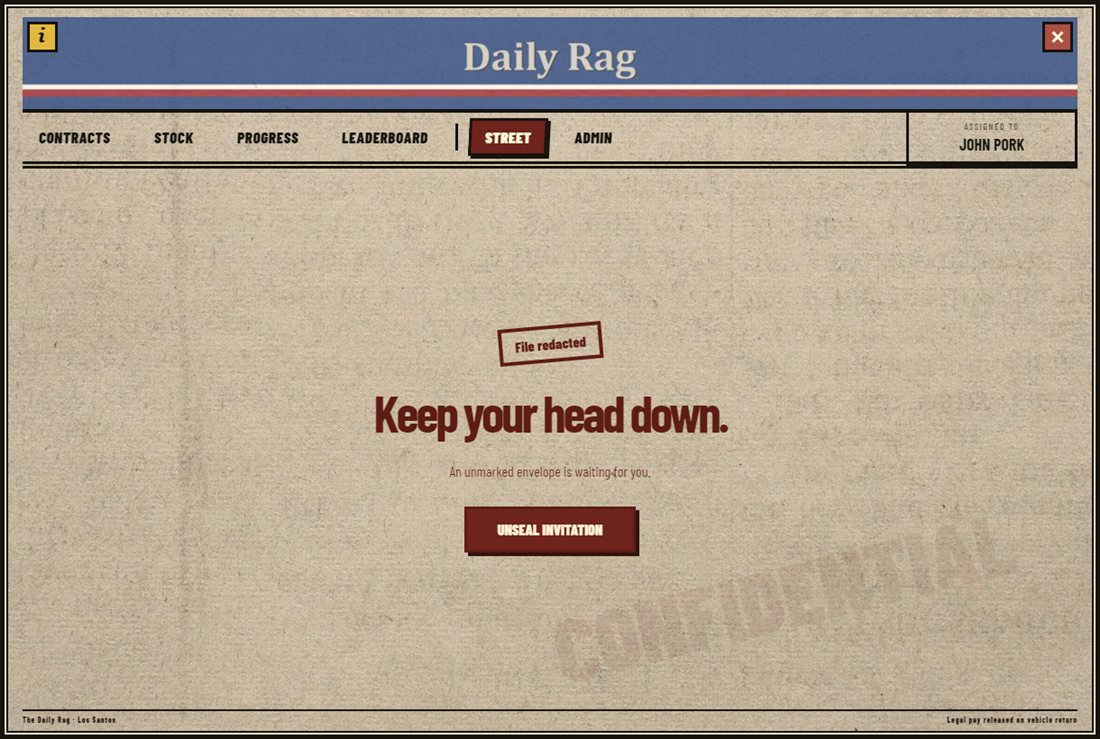
At the configured courier-reputation threshold, the player receives an anonymous invitation. Unseal it in the **Street** tab to reveal the contact. Street work uses the player's supplied vehicle and contact-issued, session-only cargo. Complete as much as possible, then return to the contact to cash out money and Street reputation. Configured blacklisted jobs cannot access the Street tab or contact.
## Admin commands and permissions
```cfg
# Grant Paperboy admin access to every ACE group that should manage it.
add_ace group.admin usin.paperboy.admin allow
add_ace group.god usin.paperboy.admin allow
```
| Command | Purpose |
| ---------------- | -------------------------------------------------------------------------- |
| `/paperboy` | Opens the player panel. Starting a route still requires contact proximity. |
| `/paperboyadmin` | Opens the protected configuration and coordinate editor. |
Qbox/QBCore `god` and `admin` permissions are accepted too.
## Public integrations
```lua
exports.usin_paperboy:GetCourierReputation(characterId)
exports.usin_paperboy:GetStreetReputation(characterId)
exports.usin_paperboy:IsStreetUnlocked(characterId)
exports.usin_paperboy:IsPlayerWorking(source)
```
Server-local lifecycle events:
```lua
AddEventHandler('usin:paperboy:contractStarted', function(source, mode, contractId) end)
AddEventHandler('usin:paperboy:deliveryCompleted', function(source, mode, contractId, dropId) end)
AddEventHandler('usin:paperboy:contractCompleted', function(source, mode, contractId, payout) end)
```
## Screenshots
### Contracts
### Stock
### Progression
### Leaderboard
### Street invitation
### Street contracts
### Admin editor
## Video
{% embed url="" %}
## Troubleshooting
* **Framework bridge timeout:** set `Config.framework` to the one framework Paperboy should use and verify its start order.
* **No UI artwork:** confirm `html/` is present and the resource was not renamed.
* **Newspaper item missing:** add the matching inventory item, install the image, then restart the inventory and Paperboy.
* **Throws do not count:** use the configured legal or Street newspaper, stand near a marked drop, and meet the supplied-vehicle requirement. Recalibrate the point or delivery radius if needed.
* **No target interaction:** start and configure `ox_target` or `qb-target`, or use `Config.interaction.system = 'fallback'`.
* **Street contract unavailable:** check the invitation threshold, required on-duty police, blacklisted jobs, and supplied vehicle.
## Version and support
Current release: **1.1.0**. The version check is enabled by default and can be disabled with `Config.versionCheck = false`.
For installation support, include your framework, inventory, Paperboy version, and relevant server-console output.